Mails missing in UI
If emails aren't appearing in the Piler UI, the issue is likely with Sphinx/Manticore indexing. Here's a quick guide to resolve it.
Initial diagnosis:
- Check Sphinx tables (main1...) contains data
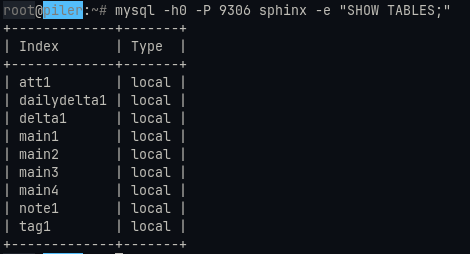
mysql -h0 -P 9306 sphinx -e "SELECT COUNT(*) FROM main1;"
How to Fix It:
- Reindex mails
sudo -u piler reindex -a
- Update the Sphinx tables
sudo -u piler indexer --all
Reindex command may time out or hang while processing large mail volume. Instead use batch processing with -f (first ID) and -t (last ID) options.
Last ID of mails can be found from v_messages table in piler database.
mysql -u root piler -e "SELECT * FROM v_messages ORDER BY id DESC LIMIT 1;"
Reindex emails in smaller ranges to avoid timeouts.
sudo -u piler reindex -f $F_ID -t $L_ID -p
After Reindexing: Run the delta and main indexer scripts. These are typically scheduled as cronjobs.
sudo -u piler bash /usr/local/libexec/piler/indexer.delta.sh
sudo -u piler bash /usr/local/libexec/piler/indexer.main.sh
Automated reindexing script
#!/usr/bin/env bash

PILER_USER=”root”
PILER_DB=”piler”


cd /var/piler/sphinx
LAST_ID=`mysql -u $PILER_USER $PILER_DB “SELECT * FROM v_messages ORDER BY id DESC LIMIT 1; “`
chunk=100000

F_ID=1
while [ $F_ID -le $LAST_ID ]; do
  L_ID=$((F_ID + chunk - 1))
  if [ $L_ID -ge $LAST_ID ]; then
    L_ID=$LAST_ID
  fi

  echo "$F_ID - $L_ID"
  sudo -u piler reindex -f $F_ID -t $L_ID  -p
  sudo -u piler bash /usr/local/libexec/piler/indexer.delta.sh
  sudo -u piler bash /usr/local/libexec/piler/indexer.main.sh
  F_ID=$((L_ID + 1))

done